**Applies to:** Gmail in a desktop web browser. Search operators also work in many Gmail apps.
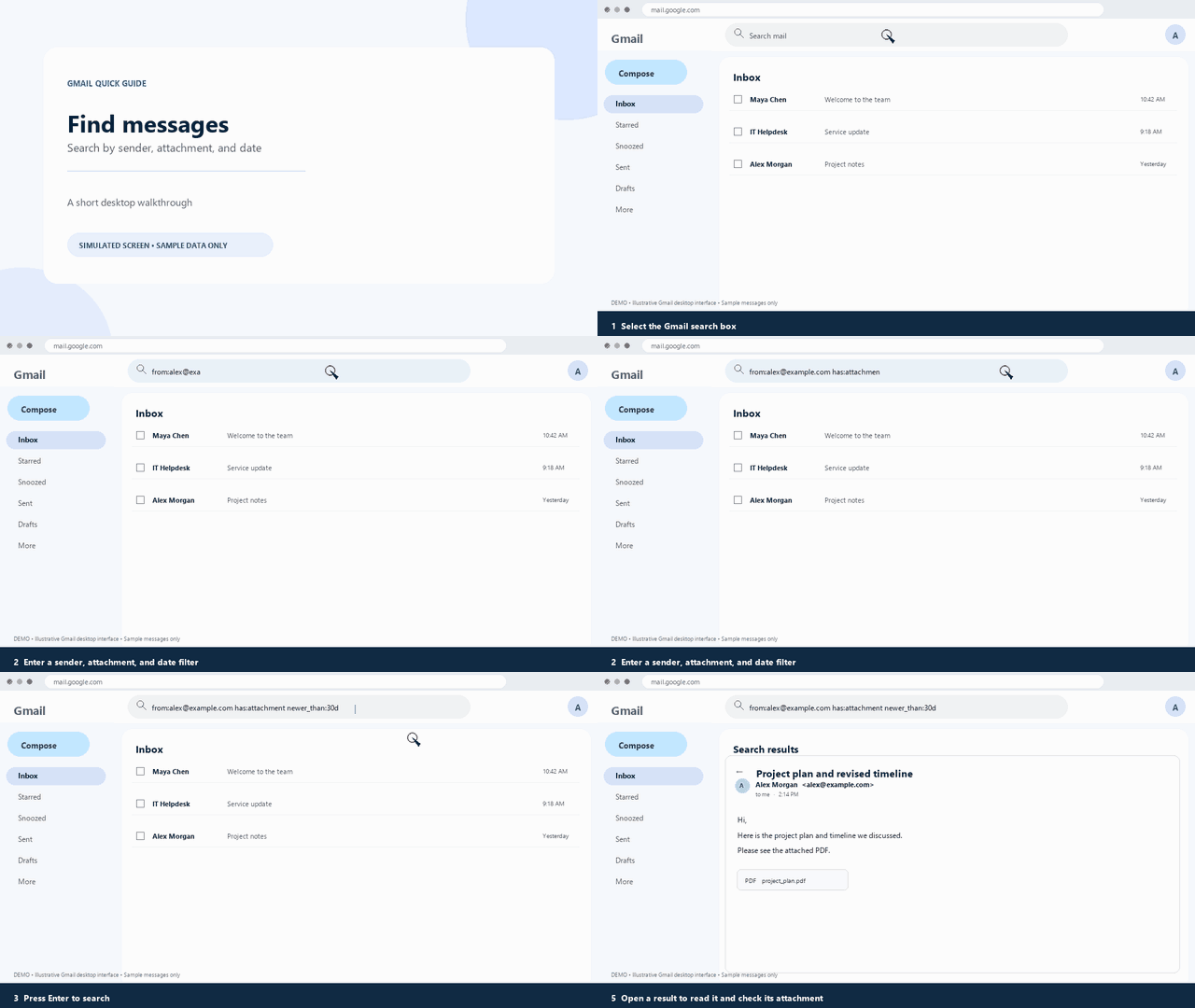
1. Select the search box at the top of Gmail.
2. Enter a word, email address, or search operator. For example: from:alex@example.com has:attachment newer_than:30d finds recent messages from that sender with an attachment.
3. Press Enter. Select a message in the results to open it.
4. Refine the query if needed. You can combine operators, such as: subject:invoice after:2026/01/01 before:2026/02/01.
## Useful search examples
To find | Search
Basic search | alex, sales deal, paperwork, etc
Messages from a person | from:alex@example.com
Messages sent to a person | to:alex@example.com
Messages with attachments | `has:attachment` |
Messages with a phrase in the subject | subject:invoice
Unread messages | is:unread
Messages within a date range | after:2026/01/01 before:2026/02/01
## If you cannot find a message
- Remove part of the query and search again.
- Check whether the message is in Spam or Trash; advanced search options can include those locations.
- Search by a distinctive phrase in the message, or try in:anywhere with your other criteria.
## Related Google guidance
Was this article helpful?
That’s Great!
Thank you for your feedback
Sorry! We couldn't be helpful
Thank you for your feedback
Feedback sent
We appreciate your effort and will try to fix the article